Free on Android

Every recipe you love,
in one place

No more screenshots, bookmarks or scattered notes. Import from a link or photograph a page out of a cookbook, plan the week around it, and take a shopping list to the store. Everything lives on your phone — no account, no subscription, and it works with no signal at all.

On Android, in English and Spanish.

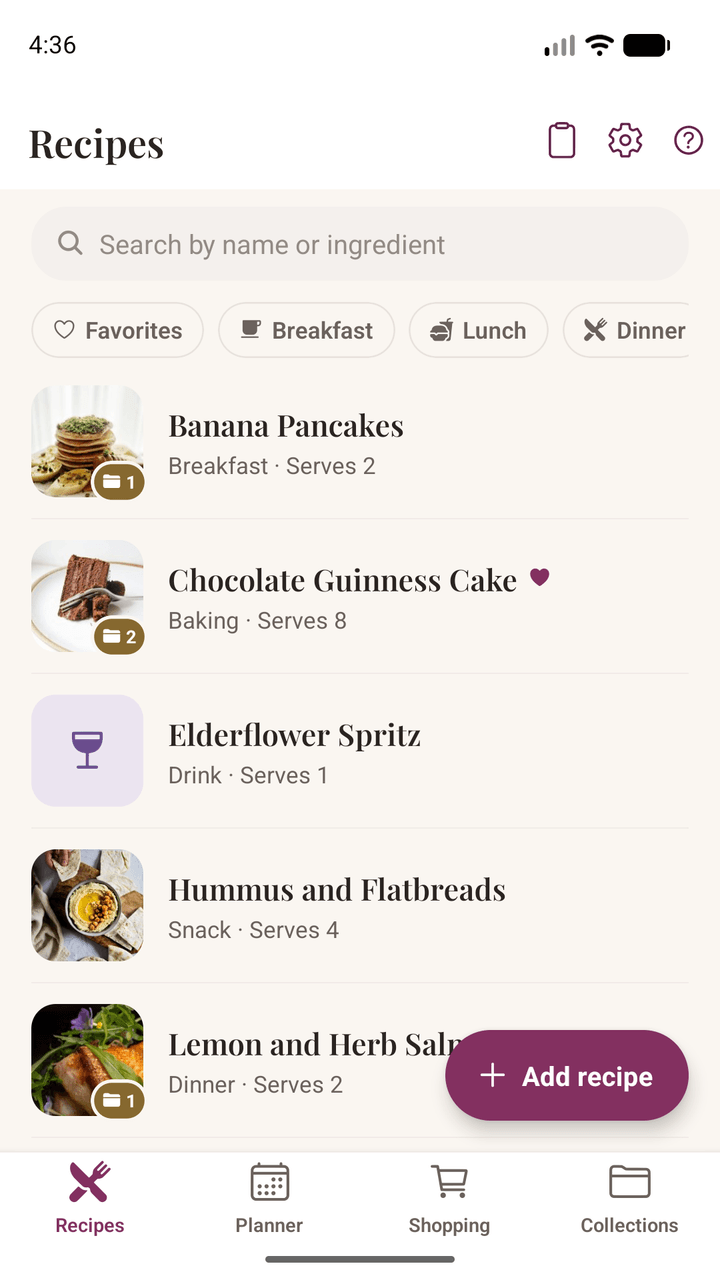
The Damson Kitchen recipe list, showing saved recipes with photos, meal types and serving sizes
Why Damson Kitchen

Everything you need, nothing you don't

Everything you need to keep the recipes you love and actually cook them — and nothing you have to sign up for, sync, or pay monthly to keep.

Save from Anywhere

Import from any recipe site, or paste a caption from Instagram or TikTok. Damson Kitchen pulls out the ingredients and method — and sorts them into sections where the recipe has them.

Scan the Cookbook

Photograph a page from a book, a recipe card, or a note in someone's handwriting, and the words are read straight off it. That reading happens on your phone — no photograph of your recipes is ever uploaded. A long recipe can be scanned a page at a time.

Cook Mode

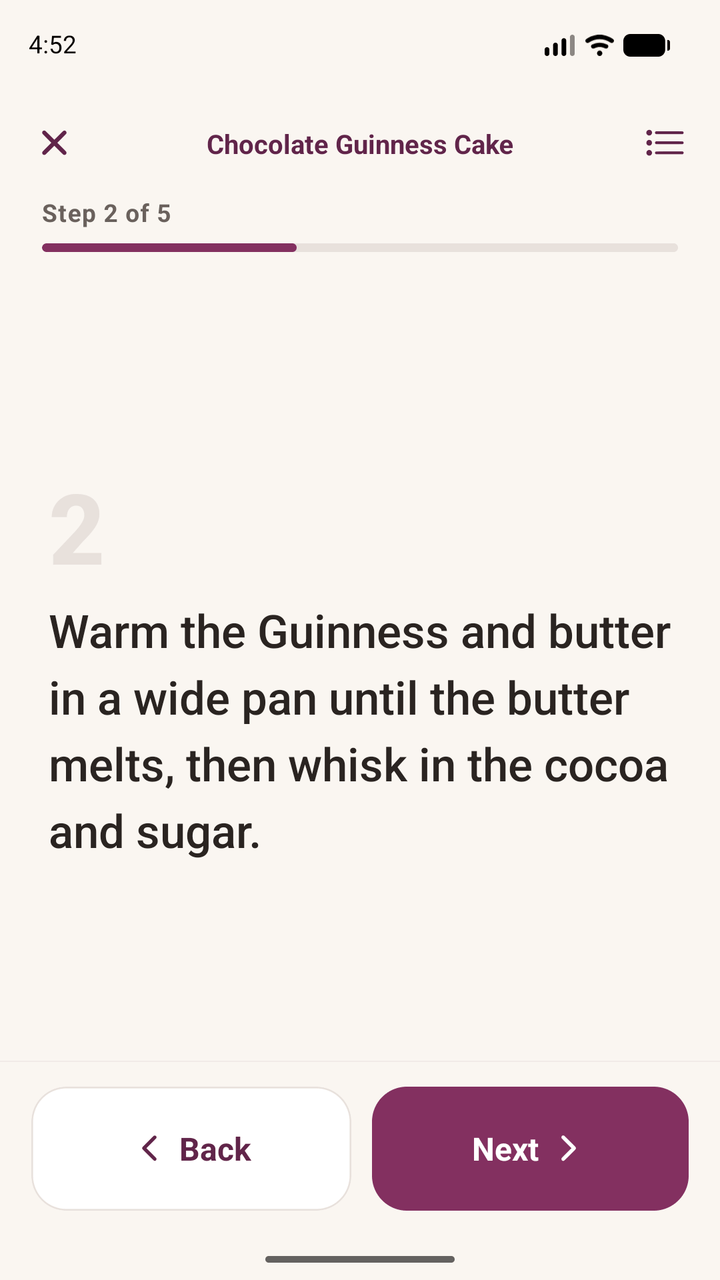
One step at a time, in large text you can read at arm's length with floury hands. Your screen stays awake while you cook, and the ingredients are always one tap away.

Plan Your Week

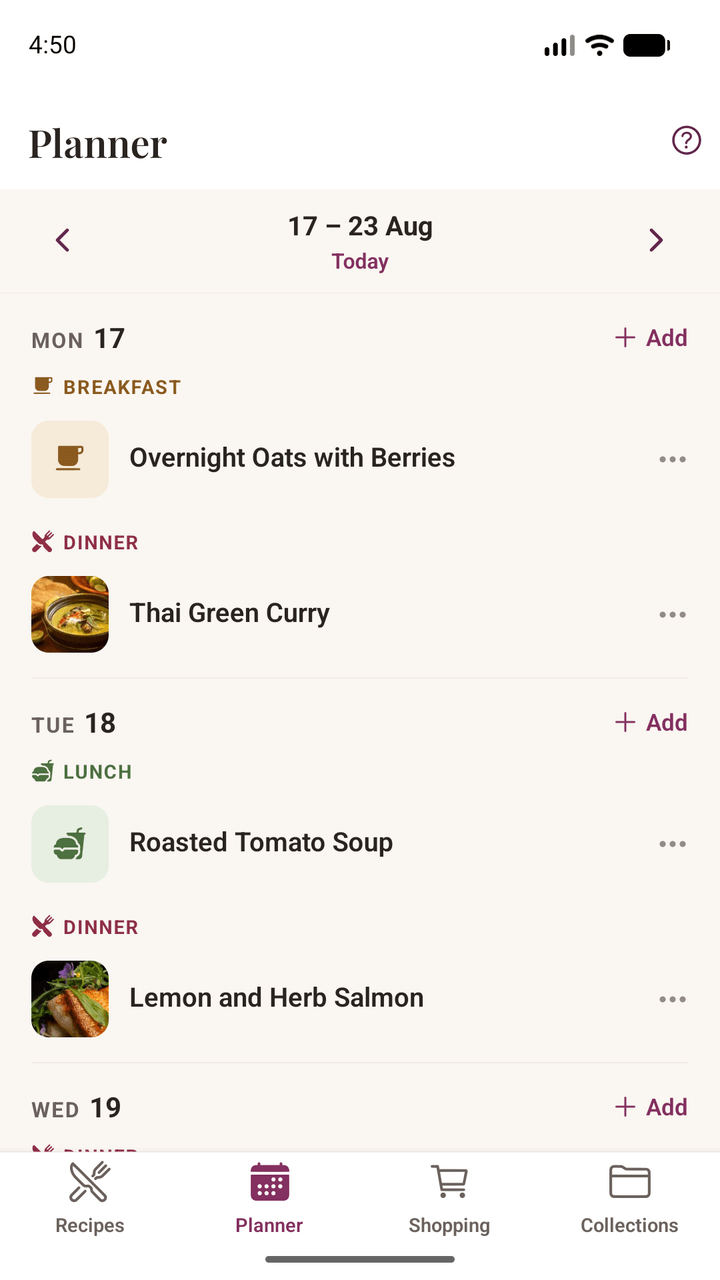
Drop recipes onto the days you'll cook them, in a week that starts on whichever day yours does. Add an occasion for a birthday lunch, and say how many you're feeding — the amounts follow.

A Shopping List That Adds Up

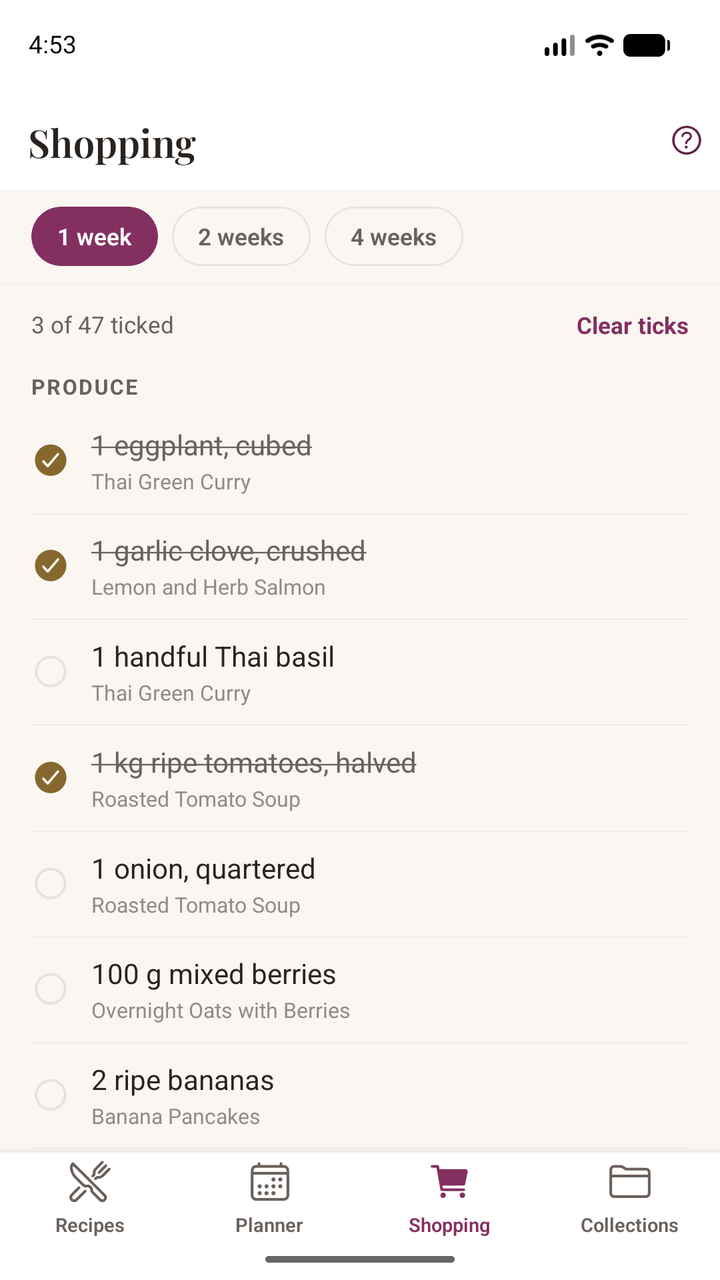
Built from the meals you've actually planned, grouped by aisle so you're not criss-crossing the shop. Two recipes needing flour become one line, not two.

Organize Your Way

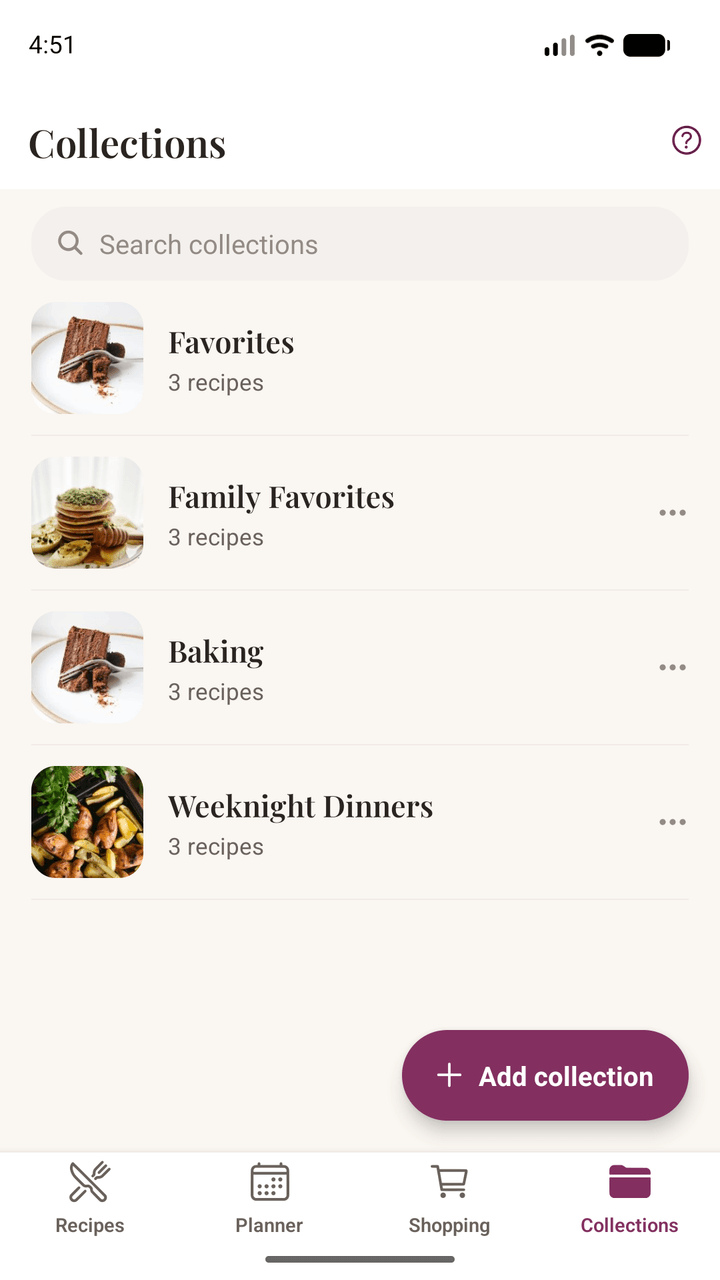
Group recipes into collections — weeknight dinners, holiday baking, meal prep. Heart the ones you come back to, filter by breakfast or dessert, and search by ingredient to turn up everything you cook with lemons.

Cooking for Four, or Fourteen

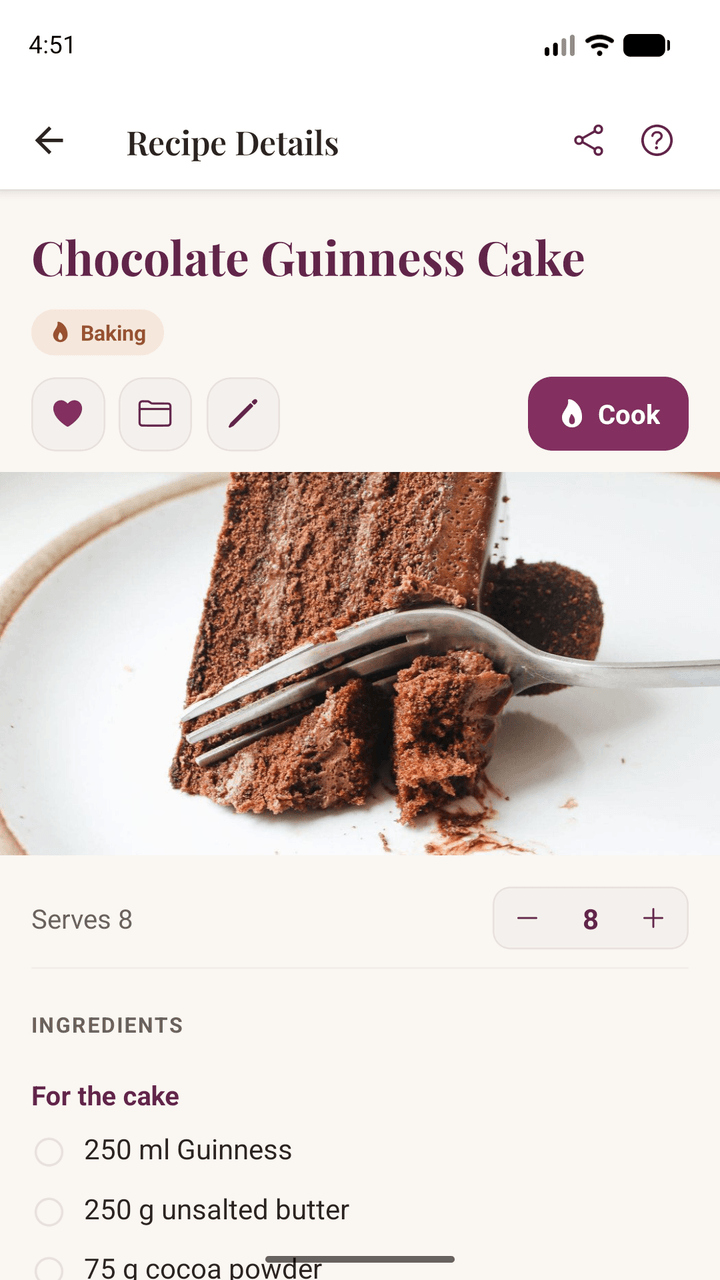
Change the number of servings and every amount rescales with it — in fractions you'd actually use, not awkward decimals. The recipe itself always keeps its original amounts.

Your Recipes, Your Device

Everything lives on your phone — nothing is uploaded, and nothing is shared. When you move to a new device, back the whole collection up to a single file and bring it with you.

Your Own Photos and Notes

Snap what you made and attach it. Jot down the tweak that worked or the substitution to remember. When you import from a link we bring in the text — never someone else's picture.

Pass One On

Send a recipe you've written to someone by message or email — as plain text they can read without installing anything. Imported recipes send the original link instead, so the credit stays with whoever wrote it.

How It Works

Your recipes, and they stay yours

Everything lives on your own phone. There is no account to create, nothing is uploaded, and no server holds your collection — which is exactly why it works with no signal, and why nobody can take it away or start charging you for it later.

Just your recipes, kept the way you like them, ready whenever you need them.

Works with no signal

Your recipes are already on your phone, so there is nothing to load. A patchy kitchen, a friend's house, a cottage in the middle of nowhere — it all works the same.

Nothing to subscribe to

A recipe book is something you own, not something you rent. No monthly fee, and no risk of losing your collection because you stopped paying for it.

Yours to take with you

Export the whole collection to a single file whenever you like, and move it to a new phone yourself. No lock-in, because there is nothing to be locked into.

No feed, no algorithm

Nobody else sees what you save, nothing ranks it, and nothing is optimized for engagement. It's a recipe book, not a place to perform.
Simple by Design

From saved to on the table

01

Save the Recipe

Share a link from a food blog or social post, photograph a page from a cookbook, paste a caption, or simply type a recipe out. Any source works.

02

Plan and Shop

Put it on a day of the week, set how many you're feeding, and let the shopping list build itself — combined, and sorted by aisle.

03

Cook It

Open Cook Mode and work through it a step at a time, screen awake and hands free. Afterwards, add a note about what you'd change.

Start your recipe book

Damson Kitchen is free on Android. There's no account to create and nothing to subscribe to — install it and start with the recipes you already love.

The app is in English and Spanish, and reads recipes in both — save a Spanish recipe on an English phone and it scales just the same. Languages come one at a time because the app reads the recipes you paste, type and photograph, and working out which line is an ingredient, or what “1½ tbsp” means, has to be done language by language.